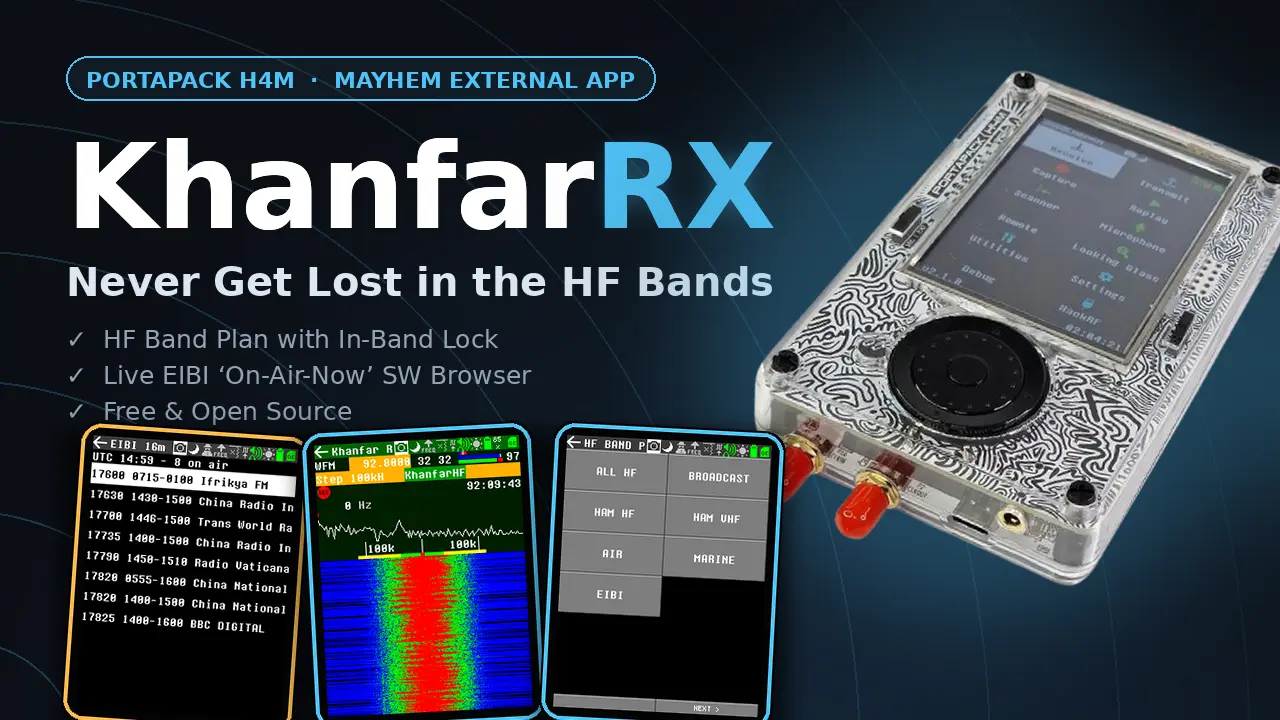
Never get lost in the HF bands.
A free external app for your HackRF PortaPack H4M: an easy HF band plan that keeps you inside the band you choose, plus a live EIBI browser that shows which shortwave stations are on the air right now — one touch to tune in and listen.
Everything you love about the stock Audio app — waterfall, recorder, AM / NFM / WFM — upgraded for serious HF listening.
Broadcast, amateur (HAM HF/VHF), airband and marine bands in one clean menu. Pick a band and you are there — no memorizing frequencies.
Smart band lock: tune with wrap-around inside the band edges — you can never drift out. One tap on DisableHF returns to free tuning.
The famous EIBI shortwave schedule on your device. See which stations are broadcasting at this moment, on 10 SW bands — select one and listen instantly.
Every band sets the right mode and step for you: AM/LSB/USB for HF, NFM for marine, AM for airband, WFM for FM broadcast.
Live waterfall, RSSI, recorder, gain and squelch controls — the complete Mayhem Audio experience with the HF tools built on top.
Convert the newest EIBI season yourself in seconds with the free online converter — no computer skills needed, works twice a year forever.
Real screens from the PortaPack H4M running KhanfarRX.
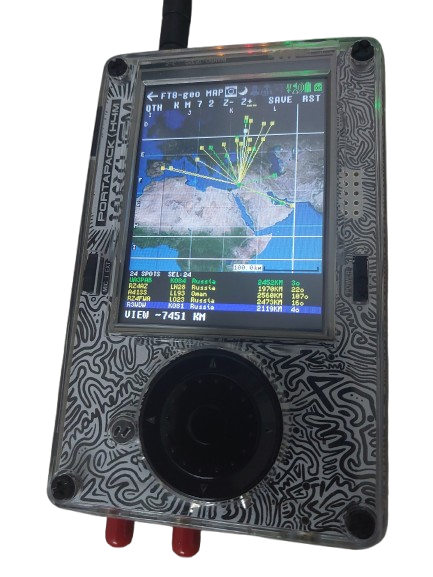
Decode FT8 and watch the world light up. Every station you hear is plotted live on a world map — straight from the Maidenhead grid locator in its own transmission. No internet, no PC: everything is computed on the H4M itself.
All amateur bands from 160m to 6m with a live decode console — CQ calls are highlighted in green, just like the stock FT8 app you already know.
Stations pop up on the map in real time as they are decoded, each with a line back to your home QTH. CQ in green, QSO in yellow, 73 in red.
Enter your Maidenhead locator once (default KM72) — it is stored on the SD card. Distance and bearing to every station are computed from it.
Drag the map with your finger, zoom from 400 km up to the whole world with Z-/Z+, with a live scale readout. Maidenhead grid (A–R) is drawn on the map.
The bottom list shows every decoded station with callsign, grid, full country name, distance and bearing. Scroll it with the encoder or tap a row — the station flashes on the map so you know exactly where it is.
Built for the H4M's tiny memory: a fixed spot table, zero heap allocation, and
its own 8 MB map file (ft8geo_map.bin) that never touches the
ADS-B map. It cannot crash your device.
ft8geo.ppma) and uses the same custom firmware — no second
install. The only extra file is the light world map: copy
ft8geo_map.bin (8 MB, in the package) to the /ADSB
folder on your SD card. Then open Receive → FT8-geo, set your QTH once, pick a
band and press MAP.
About 10 minutes. You need: a PortaPack H4M, a USB cable, and a PC with Chrome or Edge.
Get the ZIP from the GitHub releases page. It contains the custom
firmware (portapack-mayhem-firmware.bin) and the SD card files
(APPS folder with khanfarrx.ppma and the EIBI folder).
Put the H4M in HackRF mode (Mayhem menu → HackRF), connect it to the PC, open
hackrf.app →
Manage Firmware → Flash custom firmware → choose the
portapack-mayhem-firmware.bin from the package. Wait until it finishes,
then reboot the device.
Put the H4M’s SD card in the PC. Copy the whole APPS folder from the package
onto the card (replace all files — every app must match the new firmware), and create
EIBI folder in the root of the card. Download EIBI database and convert it using the
EIBI converter, then put the converted file in sd card /EIBI/eibi.bin.
For the FT8 Geo Map, also copy ft8geo_map.bin from the
package into the /ADSB folder on the card.
Put the card back in the H4M.
On the H4M: Settings → Date/Time → set the time to UTC (your local time minus your timezone offset), keep Daylight Savings off, Save. The EIBI “on air now” list needs correct UTC time to be accurate.
Receive → KhanfarRX → select the frequency field → KhanfarHF → choose a category or EIBI → pick a band → pick a station. Enjoy the bands.
One package, two apps: KhanfarRX and Khanfar FT8 Geo Map. Free and open source. Made for the PortaPack H4M community.